Entities
In the conceptual model the following types of entities are supported:
- Independent entity
- Dependent entity
When you add an entity, the entity type is determined based on the relationship it is involved in. For example, when you initially place an entity in a model, it is an independent entity. When you connect the entity to another entity using a relationship, the relationship type is used to determine if the entity is independent or dependent. If an entity is a child entity in an identifying relationship, it appears on the diagram window as a dependent entity. All other entities appear as independent entities.
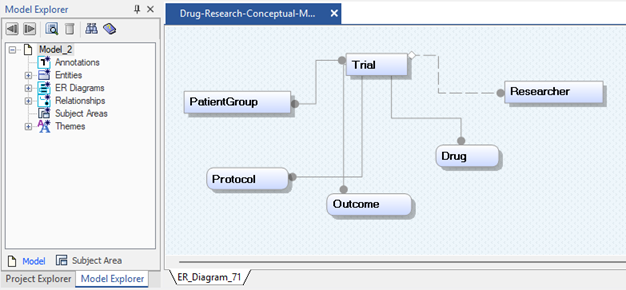
A dependent entity appears as an entity box with round corners, and an independent entity appears as an entity box with square corners.
You can add an independent or dependent entity using any of the following methods:
- Click
 in the main Toolbox and click the diagram window.
- Copy an entity from one model and paste it into another model.
- Right-click the Entities folder in the Model Explorer and click New.
You can add consecutive multiple entities by pressing the Ctrl key before you click the entity tool. When you click again in the diagram window, another entity is created.